


ISSUE: Need to export customer email addresses for a mailing.
SOLUTION: Export customer addresses to a .CSV file format using Counterpoint’s data interchange utility. This type of file format can be uploaded to MailChimp, ConstantContact, Campaigner, Zoho or other e-mail marketing services, as well as to an excel spreadsheet.
1. Home > Data Interchange> Data Interchange Export
2. Click the ellipsis (. . . ) on the left side of the window, under Source table. A list of Counterpoint tables will display.

3. Select the ‘AR_CUST’ table from the list, then click OK.

4. Click the ellipsis (. . . ) on the right side of the window, under Output File. Navigate to the folder where you want to store your customer list and type a file name adding a .csv file extension, then click Open. Example file name ‘CustomerEmail.csv’.
5. Add the desired fields to the export side of the window by double-clicking each field on the left side of the window. Recommended fields are CUST_NO, FST_NAM, LST_NAM, and EMAIL_ADRS_1. Your export window will look like this:

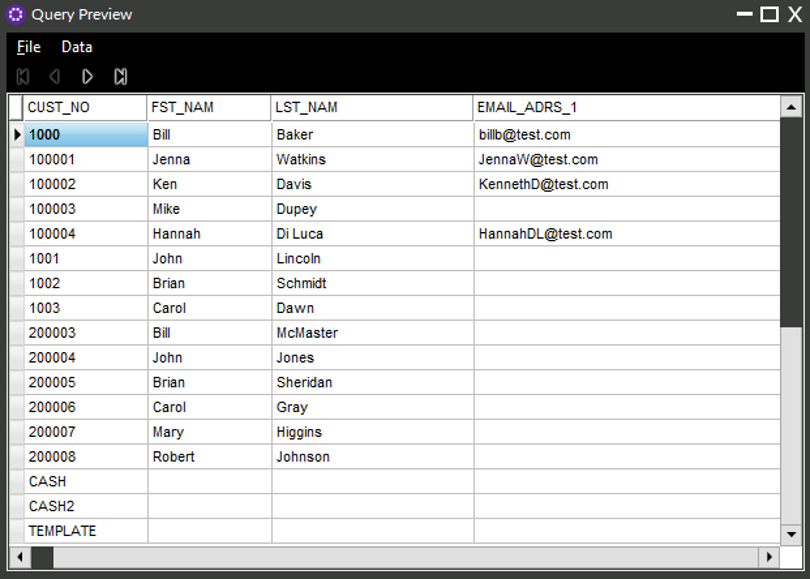
6. To see a preview of the data that will be exported, click on the spreadsheet ICON to the right of the Output File field.

7. Click the export button.
8. Done! The file is ready to be uploaded to your e-mail marketing service. When you close the export window, you will be prompted to save changes – select NO.
